Get in touch
I'm always excited to take on new projects and collaborate with innovative minds.
Phone
I'm always excited to take on new projects and collaborate with innovative minds.
A comprehensive guide to building a production-ready workflow engine in .NET. Learn state management, validation, role-based access control, and business logic implementation. Includes real-world examples, complete code snippets, and enterprise best practices for scalable business process automation.
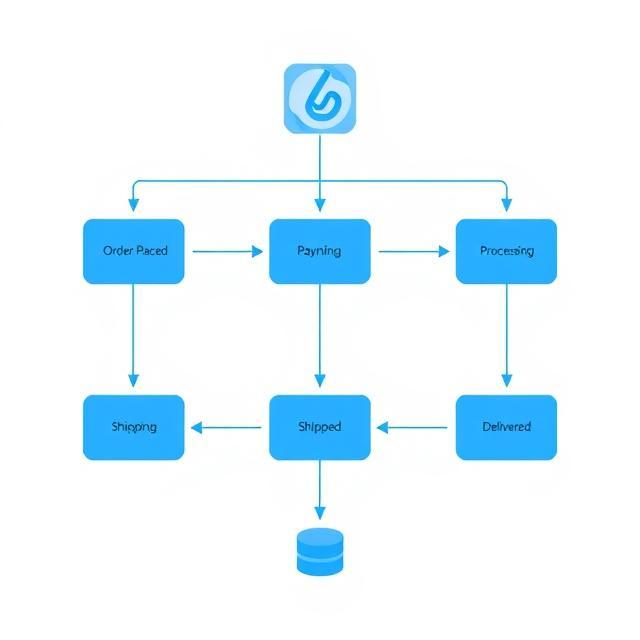
In today’s fast-paced digital landscape, organizations increasingly rely on process automation to improve operational efficiency, reduce errors, and accelerate decision-making. From order approvals to onboarding workflows and inventory management, workflow automation has become a vital business requirement.
In this guide, we’ll build a production-ready workflow engine in .NET Core capable of handling real-world, complex workflows—far beyond basic state machines. This workflow engine supports:
By the end, you’ll have a robust, scalable, and extensible engine ready to integrate into enterprise applications.
Most basic workflow solutions are implemented using simple state machines like this:
public class SimpleWorkflowEngine
{
    private readonly List<Transition> _transitions;
    public string CurrentState { get; private set; }

    public bool Trigger(string action)
    {
        var transition = _transitions.FirstOrDefault(t =>
            t.FromState.Equals(CurrentState, StringComparison.OrdinalIgnoreCase) &&
            t.Trigger.Equals(action, StringComparison.OrdinalIgnoreCase));

        if (transition == null)
            return false;

        CurrentState = transition.ToState;
        return true;
    }
}
However, such solutions fall short for business-critical scenarios where you need:
We’ll use Clean Architecture principles to structure the solution:
SimpleWorkflowEngine/
│
├── Models/               → Domain models (States, Transitions, etc.)
├── Services/             → Workflow services (Business Logic)
├── Workflows/            → Workflow definitions
├── Repositories/         → Data persistence layer (In-Memory, DB, etc.)
├── Program.cs            → Application entry point
└── appsettings.json      → Configuration
public class WorkflowState
{
    public string Id { get; set; } = string.Empty;
    public string Name { get; set; } = string.Empty;
    public bool IsInitial { get; set; }
    public bool IsFinal { get; set; }
    public List<string> AllowedRoles { get; set; } = new();
}
public class WorkflowTransition
{
    public string Id { get; set; } = string.Empty;
    public string FromStateId { get; set; } = string.Empty;
    public string ToStateId { get; set; } = string.Empty;
    public string Trigger { get; set; } = string.Empty;
    public List<string> RequiredRoles { get; set; } = new();
    public Func<WorkflowContext, bool>? Condition { get; set; }
    public Action<WorkflowContext>? PreAction { get; set; }
    public Action<WorkflowContext>? PostAction { get; set; }
}
public class WorkflowContext
{
    public WorkflowInstance Instance { get; set; } = null!;
    public WorkflowState CurrentState { get; set; } = null!;
    public WorkflowState TargetState { get; set; } = null!;
    public WorkflowTransition Transition { get; set; } = null!;
    public string TriggeredBy { get; set; } = string.Empty;
    public Dictionary<string, object> Parameters { get; set; } = new();
}
public interface IWorkflowService
{
    Task<WorkflowInstance> CreateInstanceAsync(string workflowDefinitionId, string createdBy, Dictionary<string, object>? data = null);
    Task<bool> TriggerTransitionAsync(string instanceId, string trigger, string triggeredBy, Dictionary<string, object>? parameters = null);
    Task<IEnumerable<WorkflowTransition>> GetAvailableTransitionsAsync(string instanceId, string userId);
}
This example workflow automates order processing:
public static class OrderProcessingWorkflow
{
    public static WorkflowDefinition CreateDefinition()
    {
        return new WorkflowDefinition
        {
            Id = "order-processing",
            Name = "Order Processing Workflow",
            States = new List<WorkflowState>
            {
                new WorkflowState { Id = "order-placed", Name = "Order Placed", IsInitial = true },
                new WorkflowState { Id = "payment-received", Name = "Payment Received" },
                new WorkflowState { Id = "shipped", Name = "Shipped" },
                new WorkflowState { Id = "delivered", Name = "Delivered", IsFinal = true }
            },
            Transitions = new List<WorkflowTransition>
            {
                new WorkflowTransition
                {
                    Id = "receive-payment",
                    FromStateId = "order-placed",
                    ToStateId = "payment-received",
                    Trigger = "payment-received"
                },
                new WorkflowTransition
                {
                    Id = "ship-order",
                    FromStateId = "payment-received",
                    ToStateId = "shipped",
                    Trigger = "ship"
                },
                new WorkflowTransition
                {
                    Id = "deliver-order",
                    FromStateId = "shipped",
                    ToStateId = "delivered",
                    Trigger = "deliver"
                }
            }
        };
    }
}
{
  "Logging": {
    "LogLevel": {
      "Default": "Information",
      "SimpleWorkflowEngine": "Debug"
    }
  },
  "WorkflowEngine": {
    "EnableAuditLog": true
  }
}
You can access the full source code here:
A workflow engine is much more than just state transitions. With this .NET Core-based engine, you get:
Whether you’re building an e-commerce platform, ERP, or document management system, this workflow engine can be your core automation component.
Your email address will not be published. Required fields are marked *